RU EN
← ALL PROJECTS

CASE 09 · MOBILE · iOS

KShop A mobile app for an Asian grocery store that grew turnover by 23%
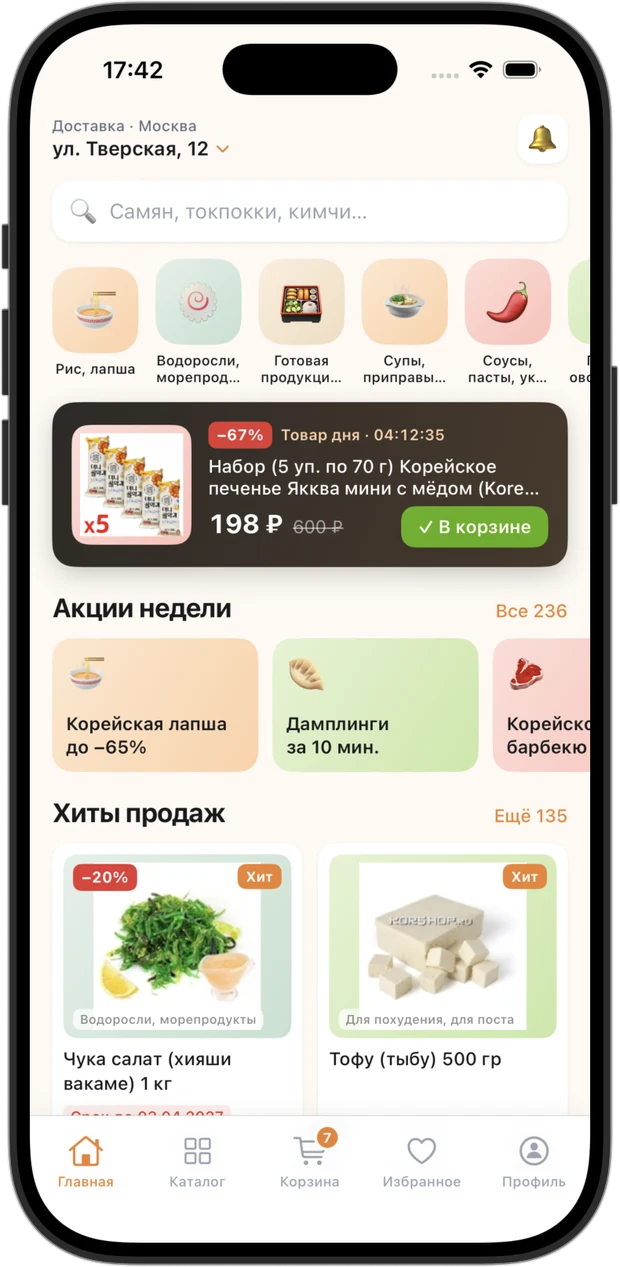
KShop home screen: deal of the day with a countdown, weekly offers and bestsellers
Home
Deal of the day, weekly offers and bestsellers
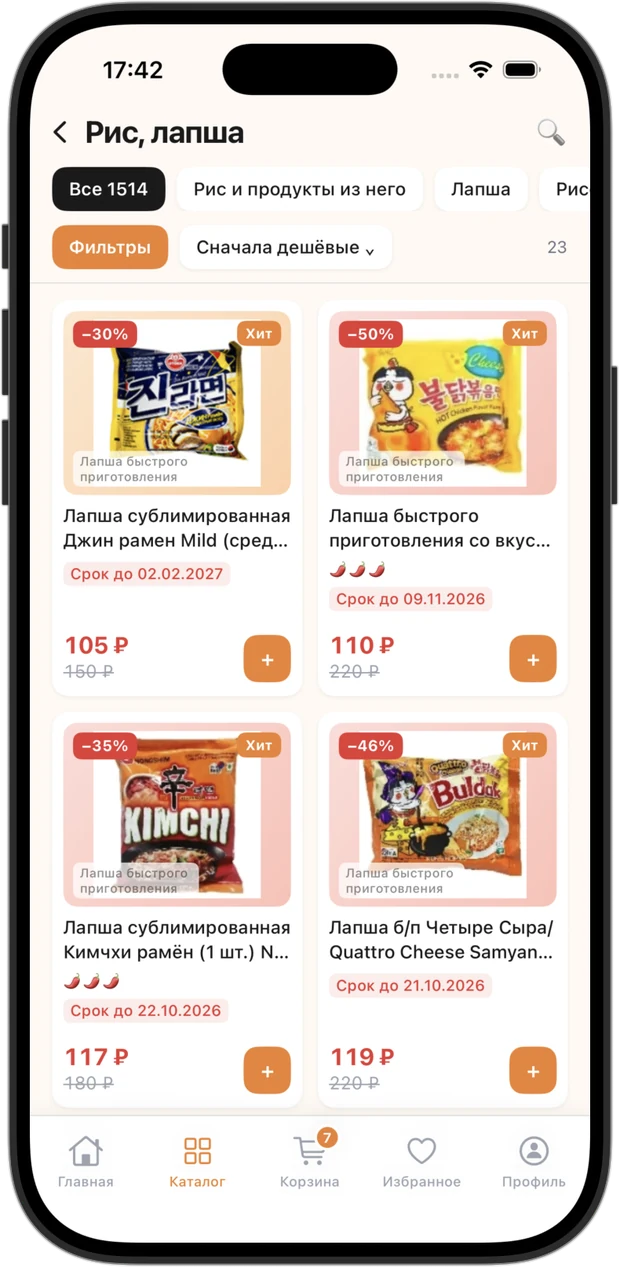
Category listing: subcategory chips, sorting, a result counter and product cards
Category listing
Subcategory chips, sorting and a result counter
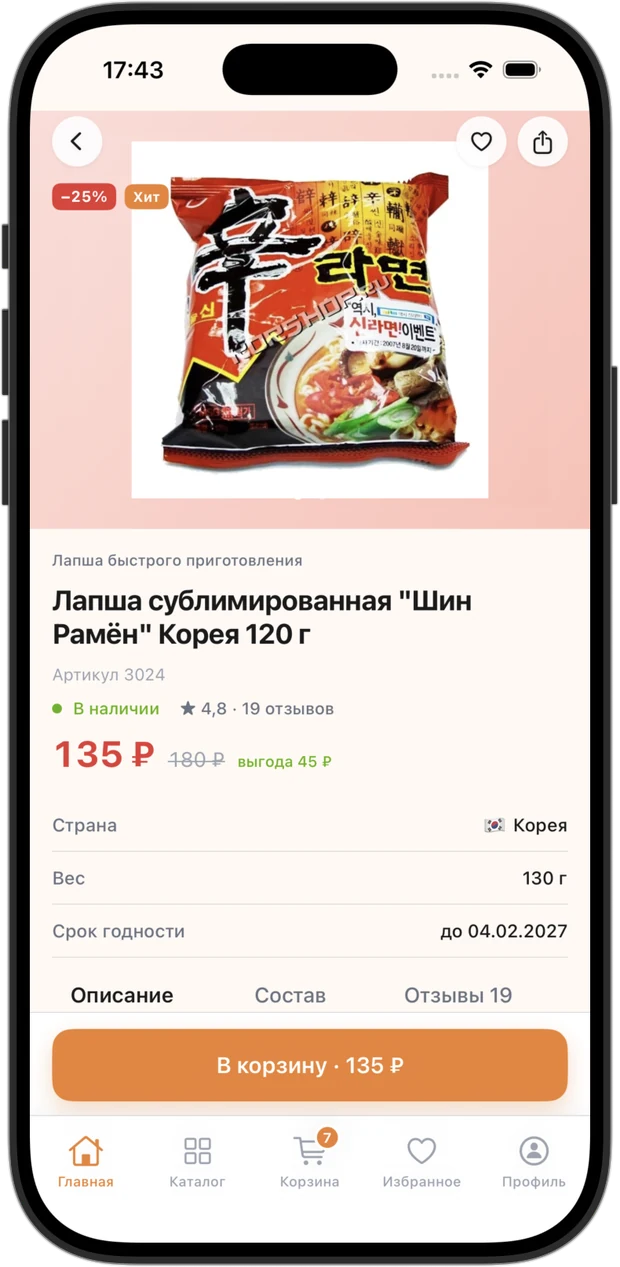
Product page: photo, discounted price, country of origin, weight, shelf life and customer reviews
Product page
Specs, availability, description and reviews
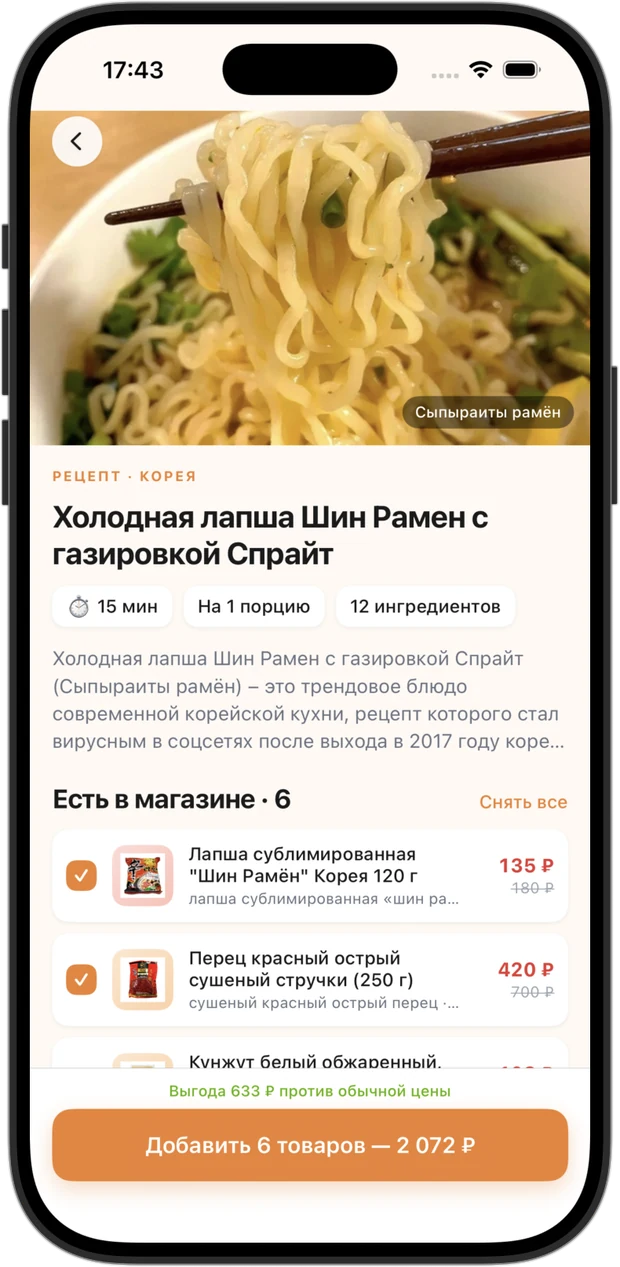
Recipe screen: the dish ingredients with prices and a button to add them all to the cart
Recipe → cart
A whole dish: tick the ingredients, add them at once
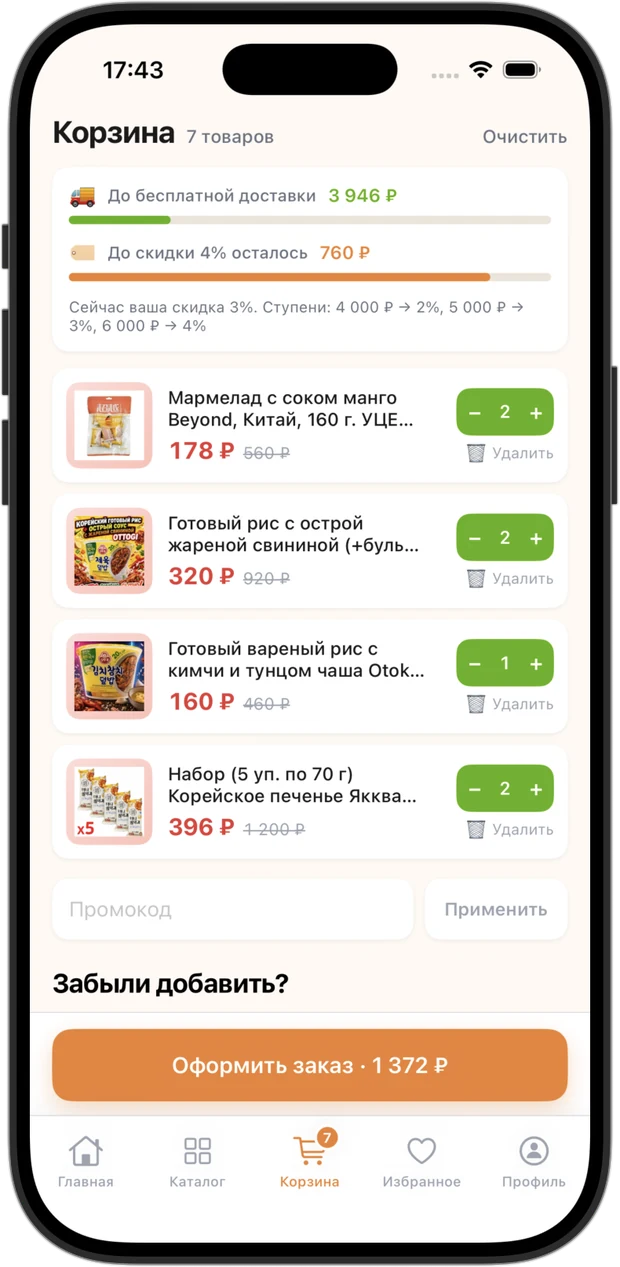
Cart: progress towards free delivery and the next discount tier, items and a promo code
Cart
Two thresholds: free delivery and the next discount tier
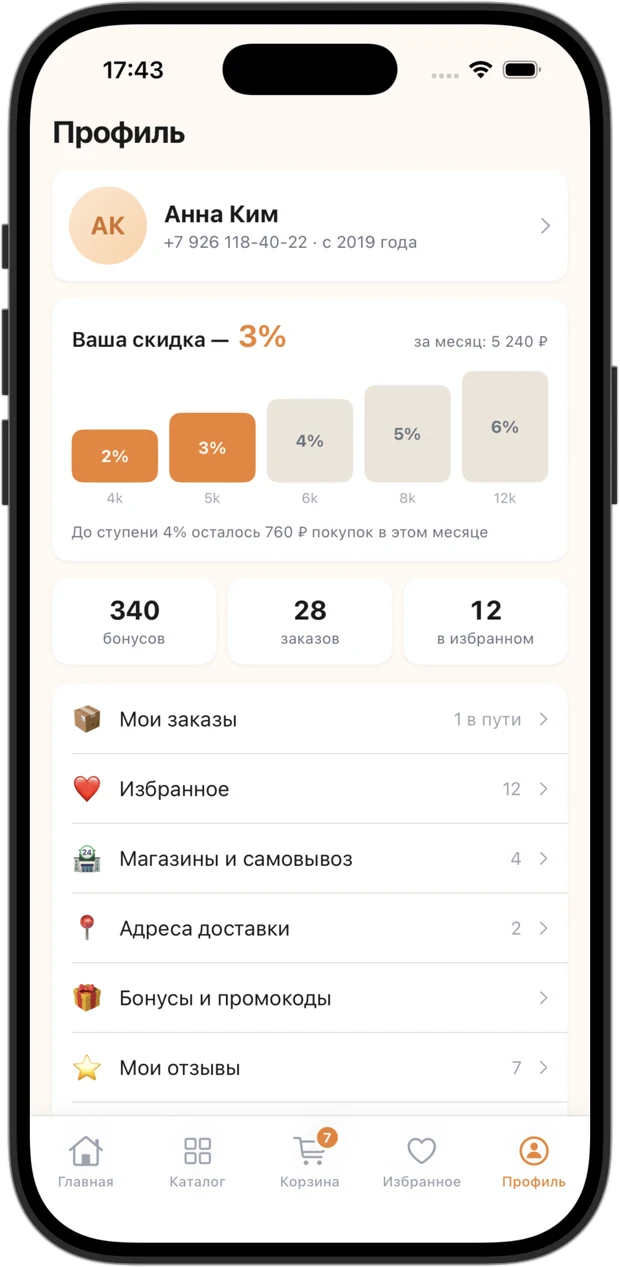
Customer profile: the discount ladder based on monthly spend, bonus points, orders and favourites
Profile
The discount ladder and what's left to the next tier

The store has been selling Korean, Japanese and Thai groceries since 2013: four locations in Moscow, around six thousand items in the catalogue and a website running on 1C-Bitrix. The app took over the repeat purchase — the reason a customer comes back every week. After launch, the store's turnover grew by 23%.

ROLE
Product design and development
PLATFORM
iOS 17+ · SwiftUI
INTEGRATION
1C-Bitrix · REST in /local/
RESULT
+23% store turnover
01 · CHALLENGE

The website handled sales well enough; repeat purchases it did not. A regular customer walked the same path through the catalogue every time, couldn't recall what they bought last week, and never found out when a favourite item dropped in price. In a category where the basket is refilled weekly from the same twenty items, that is turnover left on the table.

02 · SOLUTION

A SwiftUI app built on the very same catalogue the website uses. A custom REST controller on the 1C-Bitrix side serves sections, products, prices and promotions, accepts orders and returns their history. The app recalculates nothing on its own — which is why it never disagrees with the website on price or availability.

03 · RESULT

A customer repeats last week's order in one tap, sees in favourites what got cheaper, and knows how much is left to the next discount tier. The return scenarios the website never had now sit on the first screen.

+23%
store turnover
~6 000
items in the app

SCREENS

The whole customer journey — from first launch to order tracking

Sixteen screens: onboarding and city selection, the catalogue with filters and search, checkout, the customer account and a design system built in code.

Onboarding: three steps, category tiles and city selection
Onboarding
Three steps, categories and city selection
Catalogue: the store's seventeen sections with the product count in each
Catalogue
17 sections with live product counts
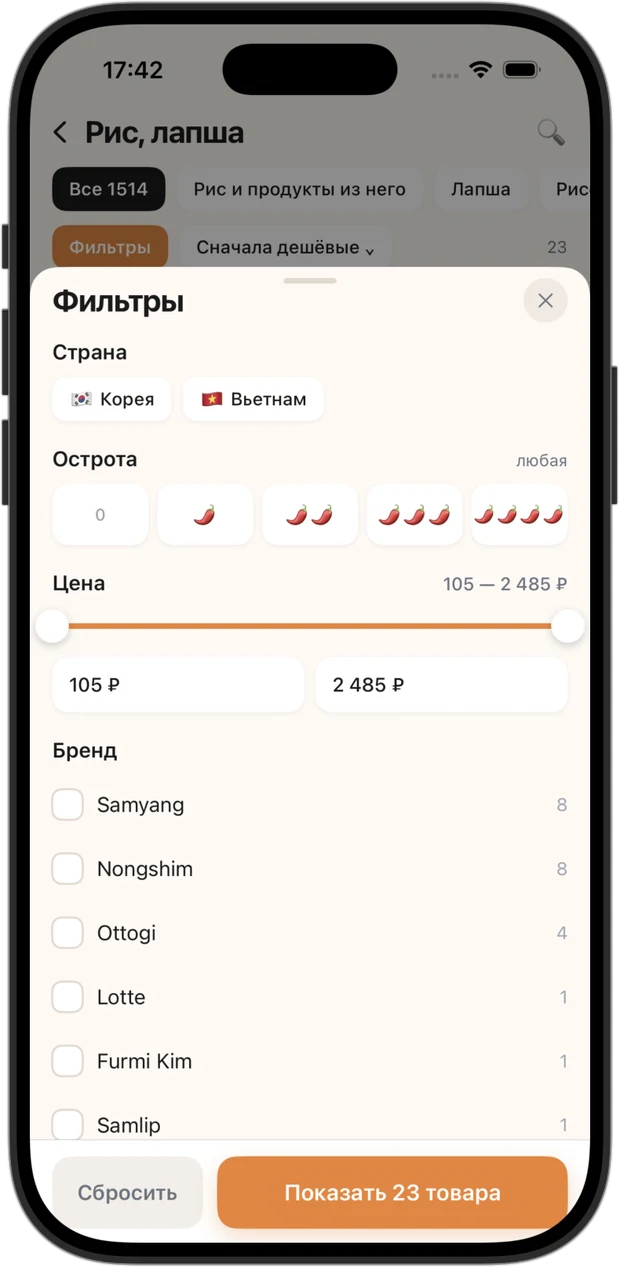
Filters: country, spiciness, price range, brand and availability toggles
Filters
Recalculated on every toggle
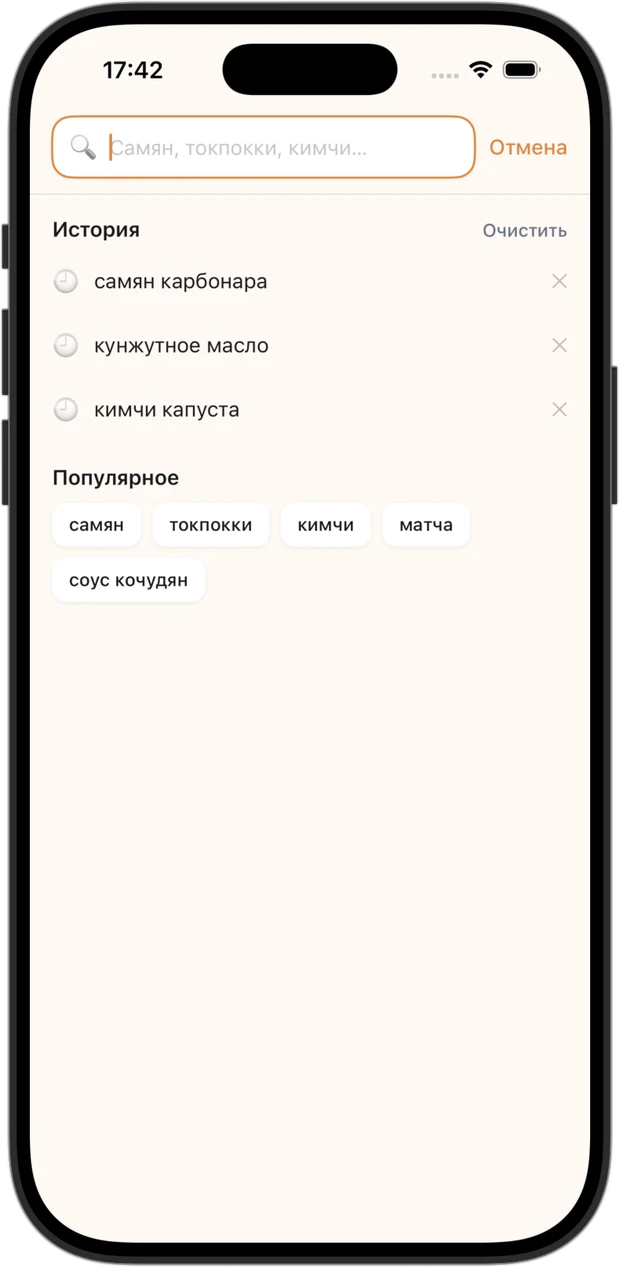
Search screen: recent queries and popular suggestions before you start typing
Search
Recent queries and popular suggestions
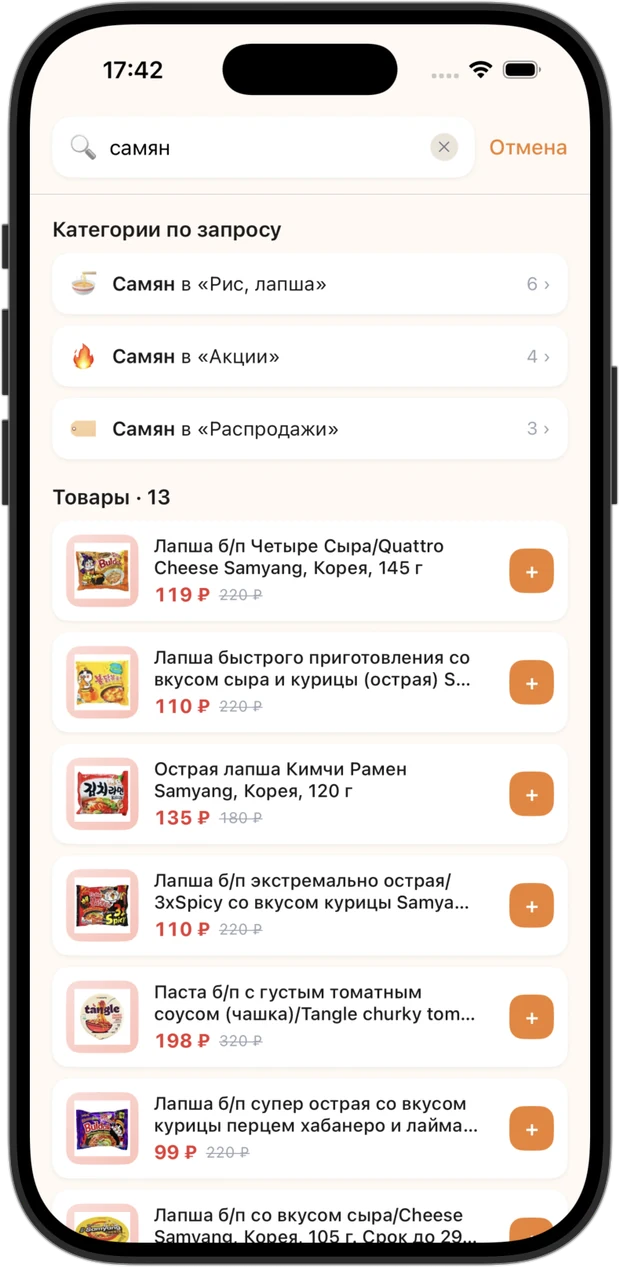
Search results for “samyan” typed in Cyrillic: matching categories and the Samyang products found
Search results
“samyan” in Cyrillic finds Samyang
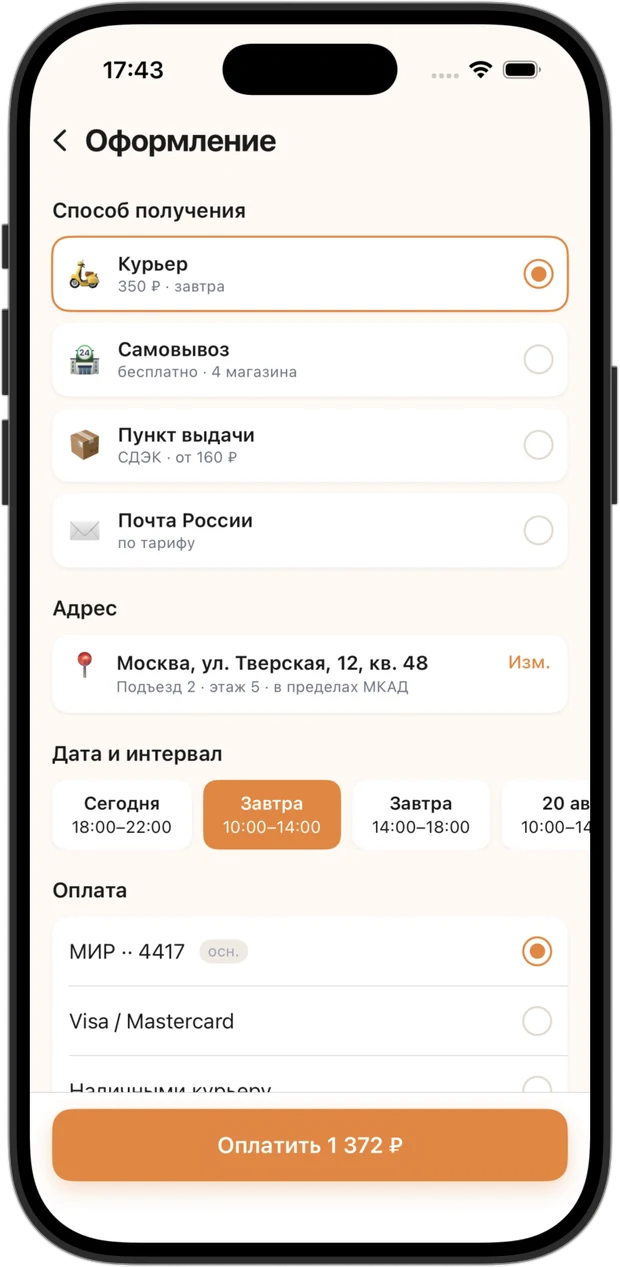
Checkout: pickup or delivery, address, delivery slot, payment and a note for the courier
Checkout
Pickup or delivery, address, time slot and payment
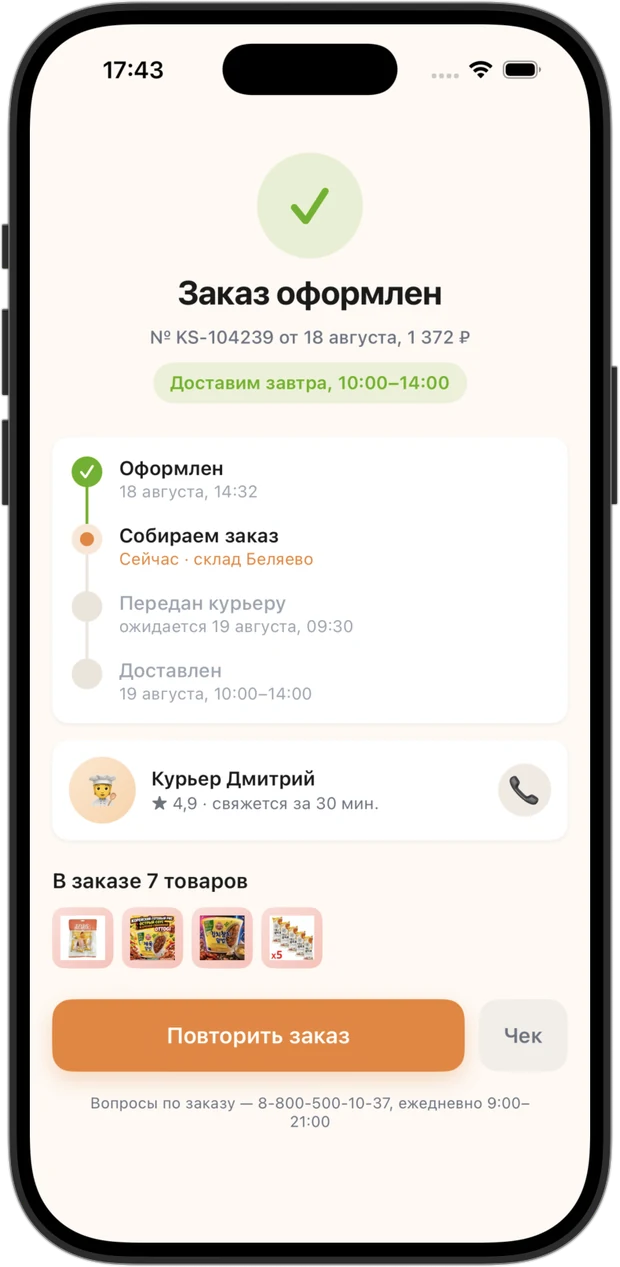
Order placed: order number, picking status, delivery steps and the courier card
Order placed
Picking status, delivery steps and the courier
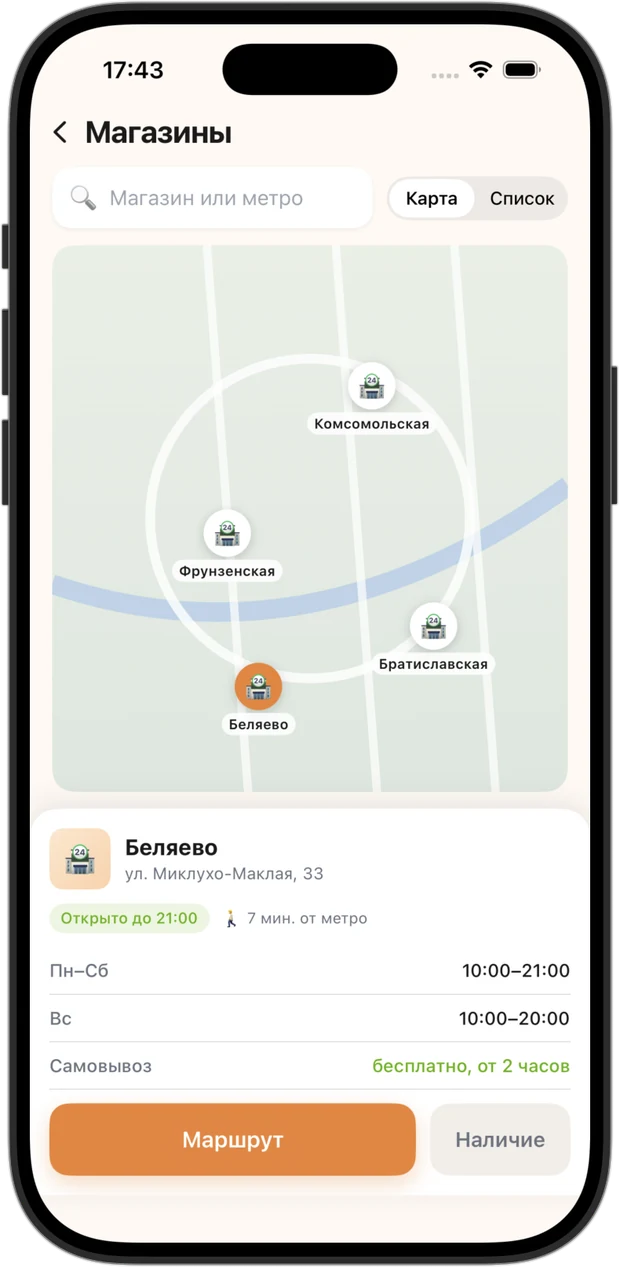
Stores: four locations on a map, opening hours and pickup
Stores
Locations on a map, opening hours and pickup
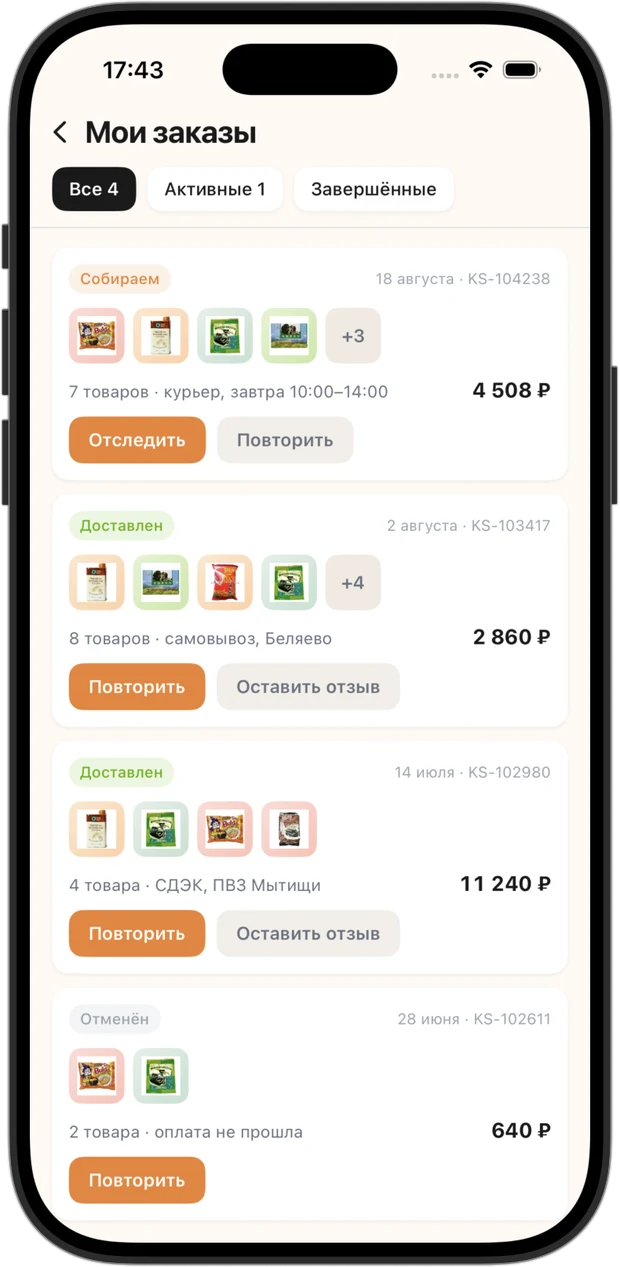
My orders: active and completed orders with one-tap reordering
My orders
Active, completed and one-tap reorder
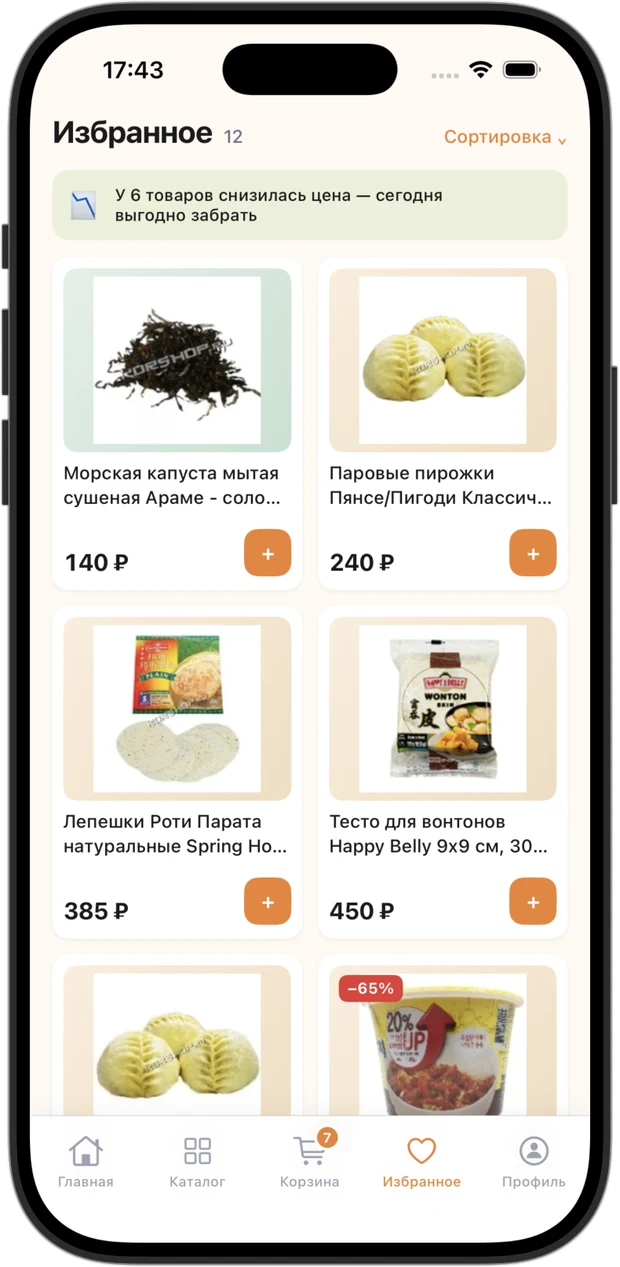
Favourites: saved products with price tracking and a hint about what got cheaper
Favourites
Tracks prices and flags what got cheaper
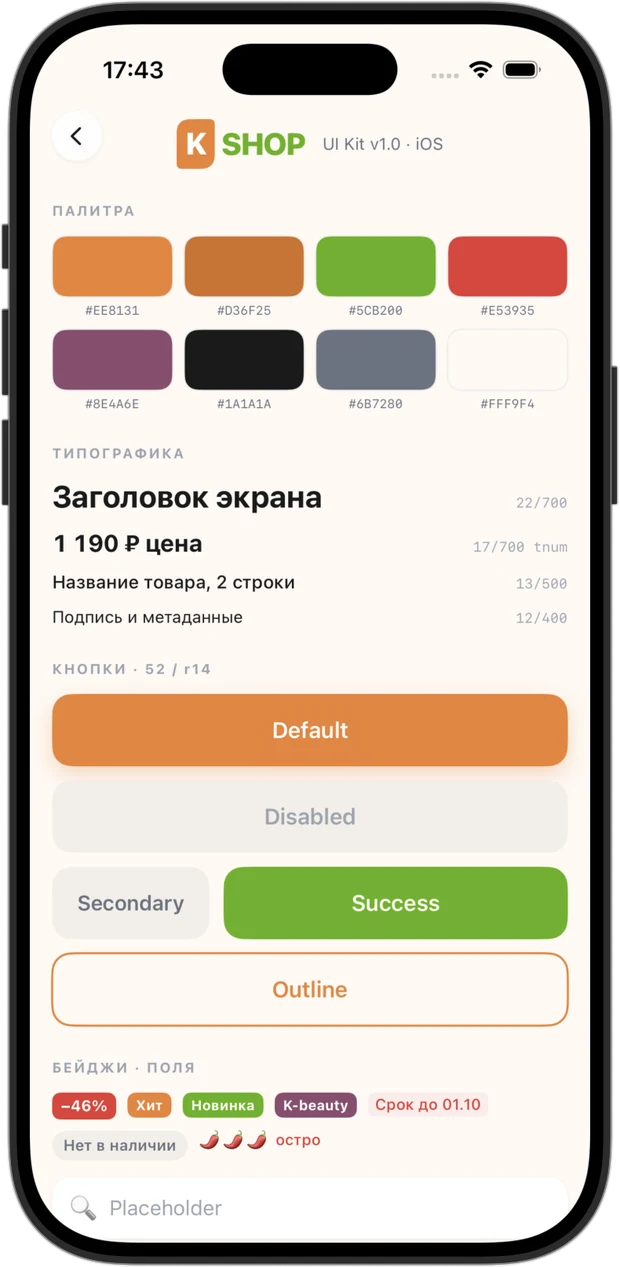
Design system screen: palette, type scale, buttons, badges and input fields
Design system
Palette, type scale, buttons and badges

INTEGRATION

One catalogue and one order queue — for the website and the app alike

A second source of truth is the most expensive mistake in retail: the price in the app drifts from the price on the site, a customer notices, and someone untangles it by hand. So the app keeps no catalogue of its own and recalculates no discounts: it queries the same system the website reads from, and an order placed in the app lands in the same admin panel as an order from the site.

Comes from 1C-Bitrix

  • 17 sections and around six thousand products
  • Prices, previous prices and promotions — the same as on the site
  • Availability across four stores, and pickup
  • Specs, ingredients, country of origin and shelf life
  • Customer reviews with ratings
  • Orders and their statuses — in the shared picking queue

Lives on the app side

  • Search across both alphabets, with history-based suggestions
  • Filters by country, spiciness, price and brand
  • Favourites that watch the price
  • Recipes from the store blog — a dish added to the cart in one button
  • Progress towards free delivery and the next discount tier
  • A cached catalogue — the app opens instantly

Why the website didn't have to be rewritten

The store had no public API, and from the outside this looked like a major rebuild: 1C-Bitrix behind QRATOR, no REST endpoints, no product feed. In practice it was cheap — the rest module was already installed and the main.engine controller worked and returned JSON. A custom controller in /local/ covered the catalogue, cart and orders: the website was left untouched, and the app got its data first-hand — with no intermediate database and no nightly sync that always lags behind prices.

WHAT'S INSIDE

What brings customers back

01

Reorder in one tap

The weekly basket in this category barely changes. Last week's order is repeated in full with one button, and if something is out of stock the app says so right away rather than at picking time.

02

Favourites that watch the price

Saved items surface what got cheaper: “6 items dropped in price — worth grabbing today”. A reason to open the app appears without a single email or push campaign.

03

A discount ladder instead of points

The discount depends on how much you spent this month, and the profile shows what's left to the next tier. The same bar repeats in the cart — exactly where the decision to add one more item is made.

04

A recipe instead of a shopping list

Recipes come from the store's own blog: twelve ingredients, six of them in stock — and one “add everything” button. The customer came for a pack of noodles and leaves with dinner: the most direct way to lift the average basket in groceries.

05

Search speaks the customer's spelling

Typing “самян” in Cyrillic finds Samyang: search runs across both alphabets. Matching categories sit on top, so you can drop into a section instead of scrolling the results.

06

Filters calculate, not decorate

Country, spiciness, price range and brand re-query the live catalogue — the result counter changes with every toggle, and the button states upfront how many products it will show.

HOW IT'S BUILT

The app in numbers and layers

Screens 16 — from onboarding to the design system
Catalogue 17 sections and around 6,000 items — the same as on the site
Stores 4 locations in Moscow: stock, opening hours and pickup
Integration a custom REST controller in /local/ on 1C-Bitrix
Design system palette, type scale and components built in code
Third-party dependencies none — Apple frameworks only
App
SwiftUI iOS 17+ No third-party dependencies
Server side
1С-Битрикс REST controller in /local/ JSON

Where the growth came from

The app is built around a single scenario: the repeat purchase. Last week's order repeats with one button, favourites announce a price drop on their own, and the discount ladder shows what's left to the next tier — right in the cart, where the decision is made. Recipes work on the average basket: instead of one pack of noodles, a whole dish goes in. After the app launched, the store's turnover grew by 23%.
SEE ALSO

CONTACT

Need an app for your store?

I'll design and build an app on top of your catalogue — same prices and same stock as the website, with no second database and no nightly syncs. Message me on Telegram — we'll scope the task, timeline and budget.

Message on Telegram dnovoselov@bk.ru

I reply within 3 hours on weekdays

A project's budget and commercial terms belong to the client, and I don't publish them. Your project will be treated the same way. My own price ranges are in the Pricing section.